

Reference

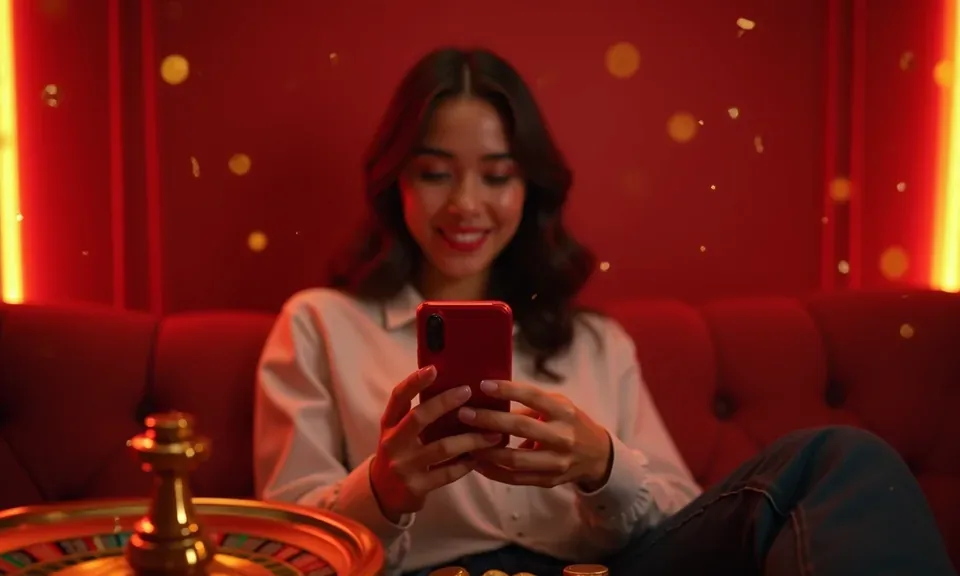
The lampu46 App — Your Lobby on Any Device

The lampu46 app experience runs through your mobile browser, putting live casino tables, slots like Aviator Mobile Play, and football betting on the same screen you use for DANA and GoPay. Access is available where local law and eligible regions permit.

Mobile browser readyNo large download neededAccount access on Android & iOSCheck availability for your regionDANA, OVO, GoPay supported
lampu46 The lampu46 App — Your Lobby on Any Device
lampu46 Mobile Access in Three Steps

Mobile Access in Three Steps

Getting into the lampu46 lobby from your phone does not require a separate install from an app store. Open your mobile browser — Chrome on Android or Safari on iOS both work well — and navigate to lampu46. The site detects your screen size and switches to the mobile layout automatically. From there, sign into your account using your registered credentials or

use fingerprint login if you have already set it up. If you are a new account holder, the registration form is the same one you'd fill out on desktop, and it works cleanly on a phone keyboard. Check that your browser is current; older browser versions can miss layout updates.

  • Open lampu46 in your browser — Type lampu46 into Chrome, Safari or your preferred mobile browser. The mobile layout loads automatically without any redirect steps.
  • Check browser compatibility — Make sure your browser is up to date. Chrome 110 and above, Safari 15 and above, and recent Firefox builds all render the mobile lobby correctly.
  • Sign in or create your account — Enter your account credentials or complete the short registration form. Enable fingerprint login from the security settings once you are inside.
  • Fund your wallet and explore — Tap the deposit shortcut and choose DANA, OVO or GoPay. Once the balance clears, head to the lobby and open a table or slot directly from your phone.
APP CAPABILITY SNAPSHOT

Four Things the App Does Well

The mobile interface is built around speed and account control. From biometric login to a dark display mode that is easy on the eyes during late sessions, each feature is designed so you spend less time navigating and more time in the lobby.

Fingerprint Login Biometric login replaces your password on supported Android and iOS devices. One tap on the sensor and the lobby opens directly — no keyboard needed.
Push Notifications Opt in to alerts for live table openings or account activity. Notifications come through your phone's native system so nothing interrupts your other apps.
Dark Display Mode Switch to dark mode from the app settings menu. The darker palette reduces screen glare during evening sessions and keeps battery use lower on OLED screens.
Offline Lobby Preview Browse the game catalogue and check your account balance without an active game connection. Useful for planning your session before you commit data or Wi-Fi.
DEVICE COMPATIBILITY CHECK

Which Devices and Browsers Work With the App

The mobile experience is browser-based, which keeps compatibility wide. Before you start, it is worth checking a few things on your device to make sure the layout and account features all work as expected.

01

Android devices

Most Android phones running a current version of Chrome load the full lobby, including live tables and slot games. Check for browser updates via the Play Store if you notice layout issues.

02

iOS devices

iPhone and iPad users should run Safari 15 or above for the smoothest experience. Enable JavaScript in Safari settings — the lobby requires it for the game launcher to work.

03

Account requirements

Mobile access uses the same account you created on desktop. No separate mobile account is needed. Verify your wallet link — DANA, OVO or GoPay — before your first mobile deposit.

04

Screen layout

The lobby switches automatically between portrait and landscape. Landscape mode is recommended for live baccarat tables; portrait works well for slots like Mahjong Ways and crash games like Aviator.

05

How to check supported devices

Log in and open the Help section from the app menu. The device compatibility page lists currently confirmed browser and OS combinations and is updated when the mobile build changes.

lampu46 What the lampu46 App Puts in Your Hands

What the lampu46 App Puts in Your Hands

Open the mobile interface and you land directly in a full lobby — live baccarat tables from Evolution, slots like Gates of Olympus and Fortune Fishing Game, and a sportsbook that covers Liga 1 and European football. The mobile build adds quick-deposit shortcuts so you can fund your account without switching apps. Push notifications alert you when a table you follow is

open. Fingerprint login cuts out the password step entirely — tap once and you are in. Players in Medan find the layout loads cleanly even on mid-range Android handsets, which matters when you want to place a bet fast.

Common Questions About the lampu46 App

These are the questions we hear most often about mobile access, device setup and account behaviour on the lampu46 app. If your question is not here, reach the support team through the Help section in the app menu.

Access currently runs through the mobile browser at lampu46. Check the Help section for the latest update on whether a native app build is available in your region.

Yes. Once you are signed in, go to the security settings and enable biometric login. It works on supported Android and iOS devices that already have fingerprint recognition set up.

Push alerts work if you allow browser notifications when prompted. Chrome on Android supports them reliably; iOS Safari added notification support in recent versions — check your iOS settings if alerts do not appear.

Yes. The deposit menu on mobile shows the same wallet options as desktop. Tap your preferred wallet — DANA, OVO or GoPay — and the app hands off to your wallet app to confirm the transfer.

The mobile layout stacks tables vertically and hides some sidebar filters to fit the screen. All the same tables from studios like Evolution and Pragmatic Play are still available — just arranged differently.

Start by updating your browser to the current version. Clear the cache, then reload lampu46. If the issue continues, contact support through the Help section with your browser name and OS version.
Reference

lampu46 App

Service availability depends on eligible regions and local law. Users should check local rules before opening an account.

Access may be available only where local law permits.